The next layer of the Virtual Bean Counter software stack is the meat in the sandwich, Grocy (see Grocy system install). As with the Home Assistant (HA) Operating System that was reviewed previously the aim of this article is to consider the support and backup options for the Grocy system as installed onto our HA virtual machine.
But first a little history. Whither Grocy? It sprang from the desire of a software developer, Bernd Bestel, to progress beyond using Excel (as we know a great spreadsheet and data analysis tool but with a limited UI) to something more fully featured by exploiting his experience with commercial inventory management. The first version of Grocy was released in 2017 and after seven years is now on its fourth full point release. However, unlike HA, it is essentially a one-man band with a single developer responsible for pretty much the entirety of the content all without stable funding (currently). That said the package is quite mature and "does what it says on the tin."
The program is written in PHP and uses an SQLite database. It is released on an MIT licence ensuring that it is free and open source. Downloads are frequent, 4k downloads for a release from GitHub (compared to 800k for HA OS), meaning that there is a reasonably large user base out there. If you don't want to run it in a webserver (HA OS provides this service) a direct Windows version is available.
The version that I am using is a port for HA OS maintained by Franck Nijhof, a full-time HA engineer. Home Assistant allows third-party applications to be added to HA (as Add-ons) that are accessible through HA but run independently of it. There are two flavours of Add-ons, supported and unsupported. Grocy is one of about fifty supported Add-ons, which means, as far as I understand it, that HA will ensure that the current Grocy Add-on (currently v0.22.1) will be kept up to date as the main Grocy program is upgraded (both HA-Grocy and Grocy are at v4.20 at time of writing).
Overall then, Grocy is a mature program with well developed features and is currently regarded as a stable Add-on by the Home Assistant team. It is a reasonable assumption that it will continue to be functional for some time to come.
Turning to support options. From inside Grocy itself there is no internal help documentation or links out to any other support options. However the HA Add-on home page for Grocy does have some links to support on the Documentation tab.
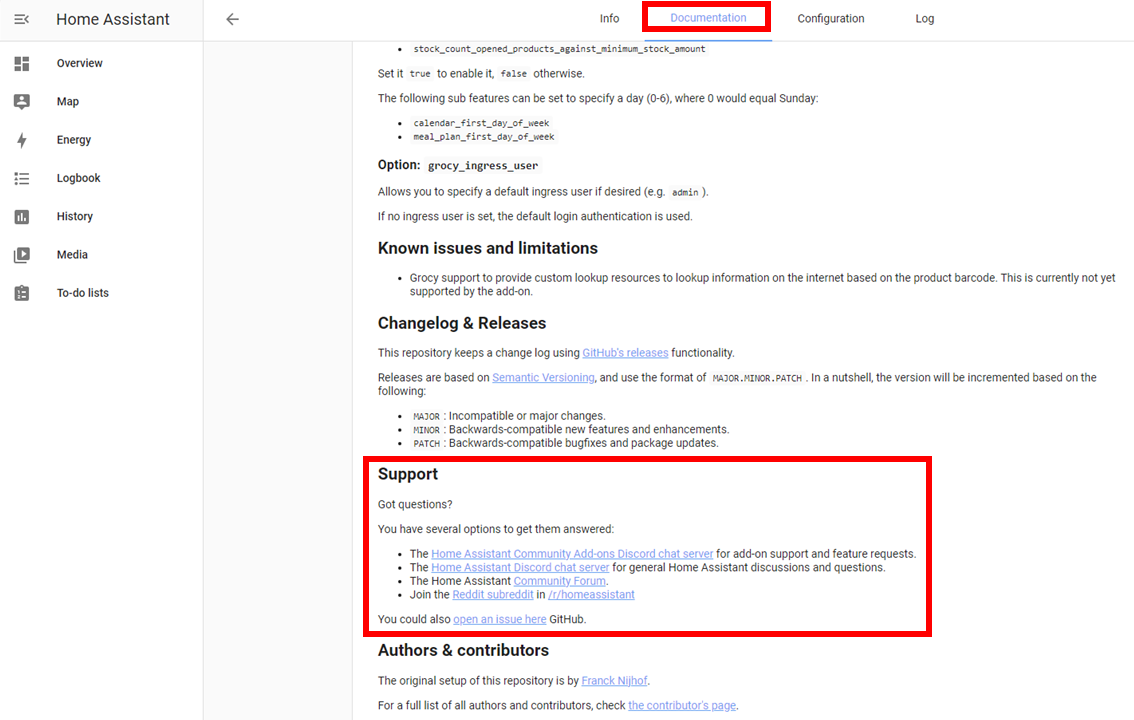
But apart from the Community pages link they are mostly to general HA support channels. The dedicated HA Grocy Add-on Community page is not very active and posts do not seem to garner many replies.
From the Grocy home page,
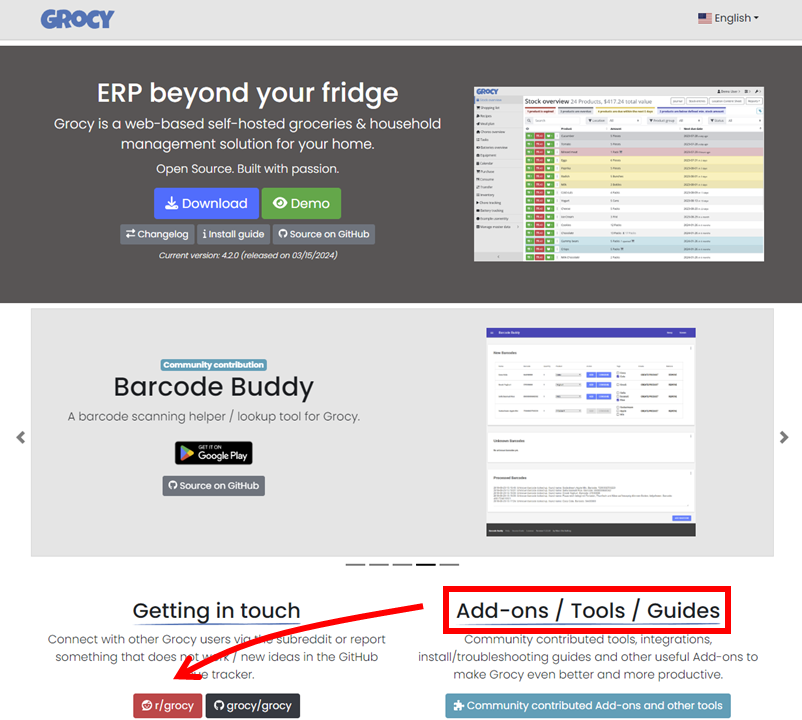
there is a link to a Reddit community for Grocy, which seems to be the main location for community support. The forum is reasonably busy, with 4.6k members, and importantly the developer is active on it (there is a pinned intro that has some helpful thoughts). Also on the Grocy home page there is a link to community contributed help and other guides, which are mainly technical docs on installation issues.
All in all, given the size of the user base, Grocy does have a sizeable user led support network that the developer takes an active part in and the fact that it is concentrated in one location is not necessarily a bad thing. As I outlined earlier, this is often more help than a commercial product will give you.
Finally the issue of back-up is completely covered by the HA full back-up protocol described in the previous post, which is a big plus.
With Grocy investigated we can turn to the last layer of the software stack the Grocy Android app.
Comments
Post a Comment